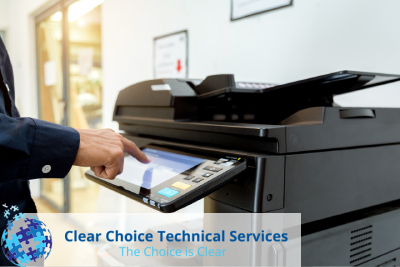
Short-term Rental Printer/Copier Philadelphia

Category Multifunction Printer

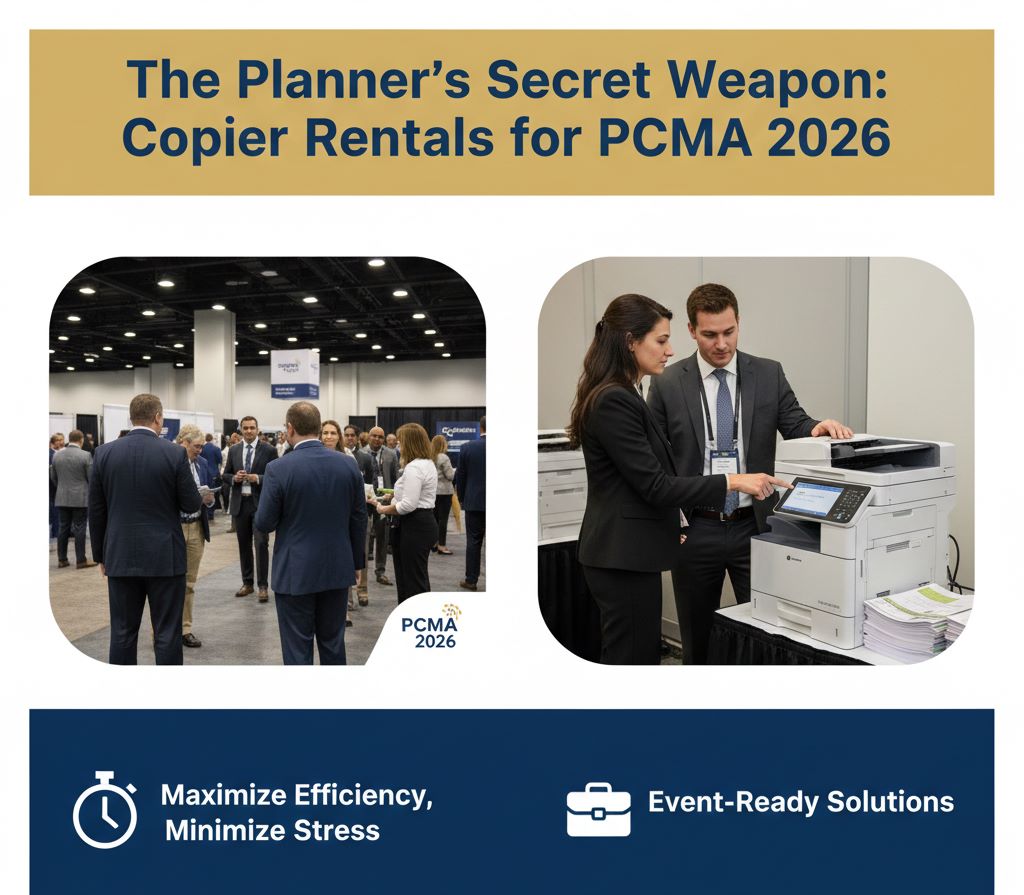
The Planner’s Secret Weapon: Copier Rentals for PCMA 2026

For PCMA Convening Leaders attendees, copier rentals are a secret weapon; ensuring fast document handling, seamless communication, and a professional edge. They help planners stay organized and focused, so every detail runs smoothly.

For last-minute handouts, registration packets, or session materials, renting a copier ensures planners can focus on delivering an unforgettable experience instead of worrying about technical hiccups.

Why Copier Rentals Are Essential for PCMA 2026

When managing a large-scale conference like PCMA, organizers juggle multiple tasks: schedules, vendor coordination, guest communications, and session materials. Copier rentals in Philadelphia provide an instant solution for on-site printing needs without the overhead of permanent equipment. 

Temporary copier solutions also save high costs compared to purchasing equipment outright, particularly for short-term events. For PCMA 2026, where planners handle hundreds of documents daily, having reliable rental equipment prevents delays and keeps operations running smoothly.

How Copier Rentals Simplify PCMA Event Planning

Renting a copier is not just about having a machine; it’s about access to comprehensive event support. Clear Choice Technical Services provides top-tier copier rentals tailored to PCMA attendees’ needs.

Planners benefit from immediate setup, troubleshooting assistance, and flexibility to scale equipment based on session requirements. By outsourcing copier needs to experts, event teams focus on strategy and guest experience rather than technical management.

Supporting Services That Enhance Event Planning

1. On-Site Setup and Maintenance

Every minute counts during PCMA, and equipment downtime can derail even the most meticulous schedule. Clear Choice Technical Services ensures all rented copiers are installed correctly, tested, and maintained throughout the event.

2. Flexible Rental Packages

From single-day rentals to multi-day solutions, copier rentals in Philadelphia accommodate the unique requirements of each PCMA session. Planners can request machines with specific capabilities, from high-volume output to mobile printing options.

3. Expert Technical Support

Event planners need assurance that any technical issue will be resolved quickly. Professional rental services provide expert support to troubleshoot issues on the spot, eliminating delays and minimizing stress for planning teams.

Customizable Printing Solutions for Session Materials

Every session at PCMA has unique document requirements, from detailed speaker notes to interactive handouts. Copier rental services often include customizable printing options such as color-coding, stapling, or booklet formatting. These features help planners deliver materials that are both visually appealing and easy for attendees to use.

Tailoring printed materials ensures attendees receive clear, organized information that supports engagement. Planners can also adjust output volumes in real-time, accommodating last-minute changes without stress. Customization transforms printed documents from standard handouts into a professional event asset.

How Copier Rentals in Philadelphia Simplify PCMA Event Planning

PCMA Convening Leaders attracts the world’s top event planners, meaning perfection is expected. Copier rentals in Philadelphia address the often-overlooked challenge of document management during busy conferences.

Temporary copier solutions allow planners to print agendas, speaker notes, and handouts in real-time, adjust volumes to match session sizes, and ensure materials are always available for attendees. This flexibility transforms event management from reactive problem-solving into proactive planning.

Additionally, partnering with a reliable provider like Clear Choice Technical Services ensures equipment performance is consistent, helping planners maintain professionalism and confidence throughout PCMA 2026.

Time-Saving Strategies With On-Demand Printing

Long printing queues can disrupt an event’s schedule and frustrate attendees. On-demand copier rentals allow planners to print materials immediately as new needs arise. This flexibility ensures agendas, handouts, or updates are always available exactly when required.

By reducing wait times, planners can maintain smooth session transitions and avoid delays. Staff can focus on delivering an exceptional attendee experience rather than managing document bottlenecks. On-demand printing ultimately streamlines operations and improves overall event efficiency.

Practical Tips for Event Planners Using Copier Rentals

  1. Assess Your Needs Early – Determine printing volume, document types, and session requirements.
  2. Request On-Site Support – Ensure maintenance and troubleshooting are included in your rental package.
  3. Plan for Contingencies – Have backup supplies like toner and paper readily available.
  4. Schedule Delivery Strategically – Align rental setup with event timelines to avoid last-minute stress.

Following these steps ensures that copier rentals enhance efficiency rather than adding complexity.

Maximizing Efficiency With Copier Rentals

Copier rentals in Philadelphia streamline the workflow for PCMA attendees by reducing manual bottlenecks. Fast, reliable printing allows staff to respond to changes, distribute updated materials immediately, and maintain attendee satisfaction.

Temporary copier solutions also help manage costs effectively. Instead of investing in permanent equipment for a short-term need, planners gain access to professional-grade technology that meets exact event specifications.

Key Benefits of Renting Over Owning

  • Cost-Effective – No large upfront investment or long-term maintenance costs.
  • Scalable – Increase or decrease equipment based on event demands.
  • Up-to-Date Technology – Access the latest copiers without committing to purchase.
  • Reduced Stress – Technical support ensures smooth operations.

These advantages make copier rentals an indispensable tool for PCMA 2026 planners seeking reliability, flexibility, and efficiency.

Elevate Your Event Planning With Copier Rentals

In the high-stakes environment of PCMA Convening Leaders, every detail counts. Copier rentals in Philadelphia provide planners with the reliability, flexibility, and professional support needed to deliver flawless events. 

By partnering with Clear Choice Technical Services, event teams gain peace of mind, streamlined operations, and the confidence to focus on what truly matters: creating exceptional experiences for attendees.

Reach out to Clear Choice Technical Services at (215) 297-6363 to secure your temporary copier solutions and ensure your event is executed flawlessly.
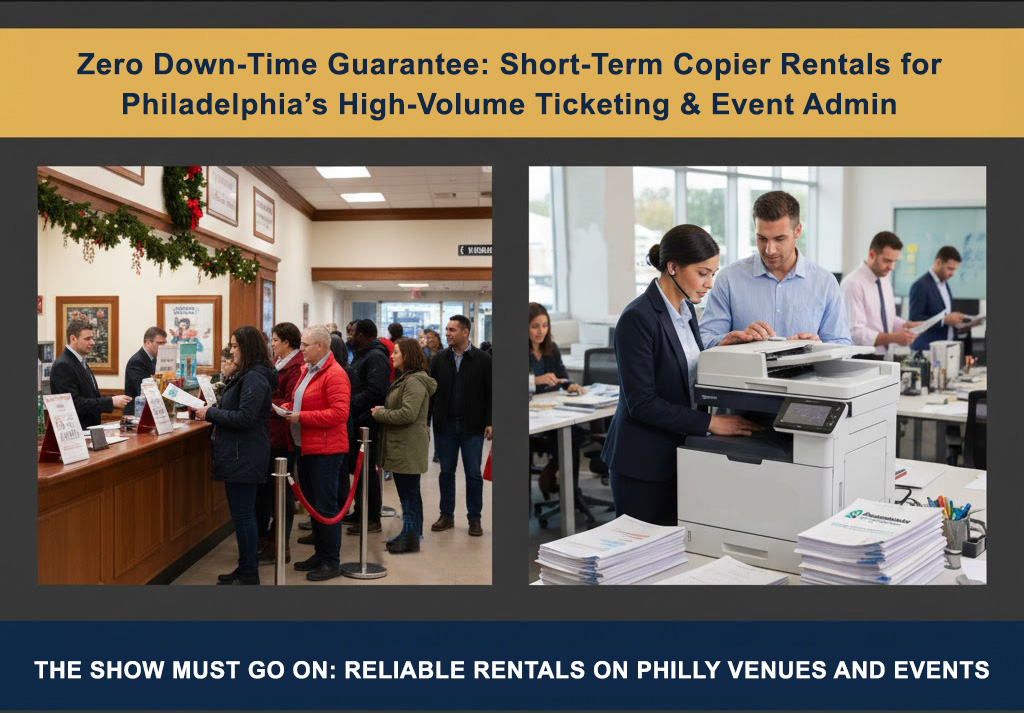
Zero Down-Time Guarantee: Short-Term Copier Rentals for Philadelphia’s High-Volume Ticketing & Event Admin

Philadelphia venues like the Walnut Street Theatre, Kimmel Center, and Academy of Music require efficient, short-term copier rentals to manage the high volume of tickets, programs, and paperwork during the busy holiday performance season.

Copier rentals offer immediate, fully serviced, ready-to-use equipment, ensuring smooth, uninterrupted high-volume ticketing and event administration for a seamless staff and guest experience.

Why Short-Term Copier Rentals Are Essential for Holiday Events

Holiday demands strain office equipment at Philadelphia venues. Ticket counters, admin, and finance need reliable technology for printing tickets, managing manifests, and revenue reconciliation. Downtime leads to long lines, frustrated guests, and lost revenue.

Short-term copier rentals provide a solution by delivering equipment that is serviced, supplied, and supported for the duration of your high-volume event. This ensures no downtime and allows your team to focus on guest experience rather than troubleshooting malfunctioning machines.

Efficient Ticketing and Event Administration

For successful event operations, efficient ticketing and event administration are critical. Temporary or seasonal staff often require reliable copiers that can handle peak workloads. Long-term office machines may not be capable of meeting these short-term demands.

Temporary copier solutions let venues scale admin capacity for events. Clear Choice Technical Services offers tailored packages for Philadelphia’s event season, ensuring efficient, non-disruptive paperwork management.

Short-Term Copier Rentals for Holiday Events and Temporary Admin 

Planning holiday events demands reliable equipment for ticketing, program printing, and administrative coordination. Short-term copier rentals for holiday events and temporary admin allow venues to efficiently manage:

  • Printing tickets and passes at high volumes
  • Producing staff schedules and programs
  • Handling financial reconciliation for daily revenue
  • Supporting temporary staff with ready-to-use equipment

By renting short-term, venues can access fully operational copiers without committing to long-term leases, making this an ideal solution for temporary or seasonal administrative setups.

Choosing the Right Copier for Your Event Needs

Selecting the right copier for high-volume events is crucial to ensure seamless operations. Different events require different printing capacities, speeds, and finishing options, so understanding your venue’s needs is the first step. 

A short-term rental allows you to choose equipment that perfectly matches your ticketing, program, and administrative demands. Temporary copier rentals give venues the flexibility to scale capacity up or down based on event size. 

By matching copier features to your workload, you avoid bottlenecks that can disrupt ticketing and admin processes. This ensures your staff can focus on guest experience rather than troubleshooting machines.

Maximizing Efficiency with Fully Serviced Rentals

Fully serviced copier rentals provide all-inclusive support, reducing operational stress for your team. Technicians handle setup, maintenance, and supplies, allowing staff to concentrate on event management. 

Efficiency gains are particularly important during holiday seasons when high-volume printing is expected. With guaranteed maintenance and rapid response for technical issues, downtime is virtually eliminated. As a result, your events run smoothly, even under the busiest conditions.

Cost-Effective Solutions for Seasonal Operations

Short-term copier rentals are a cost-effective alternative to buying or long-term leasing. Venues pay only for peak demand, avoiding capital expenditure. This makes seasonal or temporary operations financially manageable without sacrificing quality.

Bundled rentals often cover supplies, setup, and support, eliminating hidden costs. Renting lets venues avoid long-term expenses like depreciation, maintenance, and storage, keeping budgets focused on events, not equipment overhead.

Minimizing Staff Training Time with Ready-to-Use Equipment

Temporary staff adapts faster with familiar, pre-configured short-term copier rentals. They can immediately perform essential tasks like printing tickets, manifests, and programs, minimizing the learning curve.

Ready-to-use machines simplify training, prevent errors, and maintain smooth administrative workflows. Seasonal or temporary staff are instantly productive, ensuring consistent guest experiences despite fluctuating personnel.

Why Zero Downtime Matters During Peak Holiday Events

Downtime during high-volume ticketing causes lines, frustration, and lost revenue. Zero-downtime rentals ensure copiers are fully operational during peak periods, supporting a seamless process and improving the event experience.

Technical support and maintenance are included in most short-term rental packages, eliminating equipment-related delays. Ensuring uninterrupted service is essential for maintaining professionalism and guest satisfaction during busy holiday seasons.

Immediate Reliability: A Must for High-Volume Venues

The key advantage of short-term copier rentals is immediate reliability. During critical holiday events, a malfunctioning copier can slow ticket distribution, hinder admissions, and disrupt revenue management. 

Every machine is tested, supplied, and backed by responsive technical support. This zero-downtime guarantee allows venues to maintain operational efficiency and provide a professional experience for all patrons.

Logistical Simplicity: Streamlining Temporary Operations

Handling high-volume, temporary admin tasks like event ticketing is complex, often needing multiple vendors for delivery, setup, and supplies. All-inclusive rental packages, covering all needs plus technical support, simplify this process. Clear Choice Technical Services provides:

  • Delivery to your venue
  • Set up and configuration of copiers
  • Supply of toner, paper, and accessories
  • Rapid technical support during the rental period

This simplifies administrative management, letting your staff focus on executing events efficiently rather than managing equipment.

Perfect for Venues: Flexibility Without Long-Term Commitment

Philadelphia theaters, holiday markets, and convention centers often need extra printing capacity during peak seasons. Short-term copier rentals are the perfect solution for venues to:

  • Scale up operations quickly during busy periods
  • Print programs, manifests, and reports efficiently
  • Avoid the costs and obligations of long-term leasing
  • Return equipment once demand subsides

This flexibility ensures smooth operations, reduces overhead, and eliminates unnecessary investment in equipment that may only be used seasonally.

Temporary Copy Solutions for Seasonal Staff

Temporary or seasonal staff often face steep learning curves during holiday events. Providing them with temporary copy solutions reduces the chance of errors and ensures administrative tasks remain efficient. 

Clear Choice Technical Services specializes in delivering solutions that adapt to seasonal staffing needs. Our packages support high-volume events, allowing your staff to work seamlessly without interruptions.

Encouraging Action: Ensure Your Copier Rental Today

For theaters, convention centers, and holiday markets, downtime is not an option. Ensuring your team has access to copier rentals that are reliable, fully serviced, and ready for high-volume operations is essential.

Short-term copier rentals provide Philadelphia venues with the flexibility and reliability needed to manage peak holiday operations. These rentals ensure that businesses can handle increased printing and copying demands without the long-term commitment of purchasing new equipment.

Call (215) 297-6363 today to secure your copier rental and give your staff the tools they need to perform flawlessly during high-volume events.


Main reasons why Clear Choice stands out

Why Philadelphia Businesses Rely on Flexible Printer Solutions to Stay Ahead

If you’re a business owner, you know just how fast things move here. Projects pop up overnight, new clients roll in with last-minute printing needs, and your in-house resources can only stretch so far. That’s where flexible printer solutions in Philadelphia come into play.

They offer a smart way to scale your office tech without locking yourself into long-term commitments. Whether you’re a startup working out of Old City or a law firm near Rittenhouse, flexible leasing and rental options make sure you’re not stuck with outdated machines or unnecessary expenses.

Let’s break down why more and more Philly businesses are turning to flexible printing, and how you can take advantage of it too.

The Print Struggles Every Philly Business Can Relate To

You’ve probably experienced it.

You have a tight deadline. The team’s finalizing a presentation. You hit print, and suddenly, the machine jams. Or runs out of toner. Or just… stops.

Now imagine this happens during your busiest week. Hiring a full-time IT team to manage it isn’t feasible for most businesses, and buying brand-new equipment every year doesn’t make financial sense either.

That’s why flexible printer solutions have become the go-to option for businesses who need equipment that just works without all the baggage of ownership.

The Smart Way to Print Without the Commitment

In Philadelphia, flexible printer solutions offer the best of both worlds.

You get access to top-tier multifunction printers, copiers, and scanners without having to buy them outright. Better yet, you can upgrade or scale back as your business shifts.

Need a high-volume printer for a 3-month project? No problem. Expecting a slowdown over the holidays? You can pause or scale down. That’s real flexibility, and it’s saving businesses across Philly serious money.

Why Short-Term Rentals Are Booming in Center City

Short-term printer rentals are especially popular for events, conferences, and temporary office setups.

Take a look at the events happening in the Pennsylvania Convention Center. Vendors and coordinators need high-speed, reliable printing, but only for a few days. Buying a whole new machine just isn’t practical.

With Clear Choice Technical Services, you can get short-term rentals delivered, set up, and ready to go—fast. It’s plug-and-play printing with zero hassle.

Long-Term Leases Made for Growing Teams

If you’re planning on sticking around but not quite ready to invest in owning, long-term printer leases are a great middle ground.

In neighborhoods like University City or the Navy Yard, startups and established businesses alike benefit from the ability to lease multifunction printers that come with maintenance, support, and regular upgrades.

And since leases are customizable, you’re never paying for more than you need. That means smarter budgeting, better workflow, and less downtime.

Support You Can Actually Count On

Ever tried calling a big box office supplier for support? The wait time alone can burn an hour of your day. That’s one reason local printer support services in Philadelphia are such a big win.

With Clear Choice Technical Services, help is just a call away. Tech support is fast, personal, and designed for real-life office environments. From troubleshooting slow printers to replacing broken parts, our team has your back, so you can get back to doing what matters most.

Designed to Fit Your Office and Your Budget

Philadelphia office spaces come in all shapes and sizes.

Whether you’re tucked inside a tight coworking spot in Northern Liberties or operating a multi-floor law firm in Center City, there’s a custom printer solution available for you.

Clear Choice Technical Services offers scalable options, meaning you’re not stuck with one-size-fits-all equipment. Need something compact and wireless? Done. Want a high-speed commercial-grade copier? That’s available too.

One Less Thing for Your Team to Worry About

Every minute your team spends messing with paper jams or low ink is a minute not spent on client work.

With flexible solutions, equipment is maintained regularly, so breakdowns are rare and supplies are replenished automatically. That means fewer interruptions—and a whole lot less frustration.

Your employees will thank you. And your clients will notice.

The Environmental and Financial Edge

Let’s not forget the green factor.

Leasing a printer instead of buying helps reduce e-waste. When you’re done with a machine, it’s either repurposed or recycled through responsible channels. That’s a small change with a big impact, especially in a city as sustainability-conscious as Philly.

Plus, there are tax advantages to leasing that can help offset your costs. Instead of a big upfront investment, you’ll have predictable monthly expenses. Budget-friendly and eco-friendly? That’s a win-win.

Affordable Short-Term and Long-Term Printer Rentals in Philadelphia

Whether your need is short-term or long-term, affordability is key.

Clear Choice Technical Services offers affordable printer rentals in Philadelphia that scale with your workflow. You’ll have access to modern, well-maintained machines with pricing plans designed for businesses of all sizes.

There are no hidden fees, no unnecessary add-ons, and no confusing contracts. Just straight-up value and reliable service.

The Clear Choice Advantage

Here’s what sets Clear Choice Technical Services apart from other printer leasing providers in Philadelphia:

  • Same-day service is available in most neighborhoods
  • Top brands like HP, Canon, Ricoh, and Xerox
  • Flexible lease terms from daily to multi-year
  • Maintenance is included with every plan
  • No long wait times for setup or support

Whether you need help choosing the right model or setting up your first office printer, we’re here to walk you through it, step by step.

Ready to Take the Stress Out of Printing?

You’ve got enough on your plate running a business in Philadelphia. Don’t let unreliable printers slow you down.

Flexible printer solutions in Philadelphia are designed to keep your team moving, your budget in check, and your office running smoothly. Whether you need a short-term rental, long-term lease, or just solid support, Clear Choice Technical Services has you covered.

Print Smarter, Work Faster, Stress Less

When you choose flexible printer solutions in Philadelphia, you’re choosing smarter business operations, lower costs, and support that’s just around the corner.

Clear Choice Technical Services understands the pace and pressure of doing business in Philly, and we’re ready to help you meet it head-on.

So why wait?

Call (267) 603-4003 today and experience flexible printer solutions that actually work for you.


The Future of Copier Rentals: Trends and Innovations

Copier rentals are quickly evolving, and for businesses in Philadelphia, staying up to date with the latest trends is crucial. Gone are the days when copying machines were simple, basic office tools. 

Today, copier rentals offer much more: smarter, more efficient, and tech-savvy solutions that help streamline business operations. But what exactly is shaping the future of copier rentals in Philadelphia?

In this blog post, we’ll dive deep into the trends and innovations that are transforming copier rentals, how they can benefit your business, and why partnering with a trusted provider like Clear Choice Technical Services can make all the difference. 

Get ready to understand how the copier rental industry is changing, why businesses should adapt, and how you can future-proof your operations in this fast-moving landscape.

Why Copier Rentals are Gaining Popularity in Philadelphia

The demand for copier rentals has been steadily increasing across businesses in Philadelphia. Why? It’s simple: flexibility, cost-efficiency, and cutting-edge technology. Companies no longer want to be tied to outdated, bulky office equipment that costs a fortune to maintain. 

Copier rentals offer businesses an affordable alternative while keeping them on the cutting edge of technological advancements.

As companies in Philadelphia adapt to remote work, hybrid models, and digital workflows, renting copiers has become a logical choice. By renting, businesses don’t just save money. They also get the latest equipment, maintenance support, and an easier path to scalability.

The Shift Toward Smart Technology and Connectivity

One of the most significant innovations shaping the future of copier rentals is the incorporation of smart technology. Modern copiers now come with built-in features like cloud connectivity, mobile printing, and remote monitoring. 

These upgrades ensure that businesses can access their documents from anywhere, anytime—ideal for today’s dynamic and mobile workforce in Philadelphia.

By renting these smarter copiers, businesses get the chance to leverage innovations like AI-powered diagnostics and automated workflow management. These technologies minimize downtime, ensure your copier is always running at its best, and optimize the overall printing process.

As an example, businesses can remotely monitor ink levels, paper jams, or general maintenance needs without having to wait for a technician to visit. 

With Cloud-enabled printing, employees can send documents directly to a printer from their smartphones, laptops, or even tablets. It saves time and makes the entire printing process more seamless.

Sustainability and Eco-Friendly Copier Solutions

Eco-friendly solutions are no longer just a trend. They’ve become a necessity for businesses looking to align with modern sustainability standards. 

As businesses strive to reduce their carbon footprint, many copier rental providers are introducing energy-efficient machines and environmentally conscious practices.

Renting copiers that incorporate sustainable technologies, such as low-energy usage and recycled toner cartridges, can help your business meet its environmental goals while still maintaining productivity. 

By choosing copier rentals with eco-friendly features, you are also making a positive impact on the community and setting an example for other businesses to follow.

For those concerned about waste, renting copiers also allows businesses to avoid the long-term disposal issues of outdated equipment. 

When the contract is up, the equipment is returned, and newer, more energy-efficient models are provided, all while minimizing the amount of e-waste produced.

The Rise of Managed Print Services (MPS)

Another trend revolutionizing copier rentals is the shift toward Managed Print Services (MPS). MPS is a comprehensive solution where a provider takes control of your entire printing infrastructure, including copiers, printers, and maintenance.

For businesses in Philadelphia, Managed Print Services simplify the process of managing large volumes of print jobs, offering remote monitoring, real-time updates, and automatic toner replenishment. 

Additionally, MPS can help you analyze your printing habits, which can lead to cost reductions, improved efficiency, and better decision-making when it comes to choosing your equipment.

With MPS, you only pay for what you need, and there’s no hassle of managing multiple vendors. Your copier rental provider will monitor your print needs and ensure you’re getting the most efficient solutions, saving your business both time and money.

Cost-Effective Solutions for Growing Businesses

Philadelphia is home to many small and medium-sized businesses, and these companies often face unique challenges when it comes to capital expenditure. 

Renting copiers, as opposed to buying them outright, presents a cost-effective solution that can help companies scale without breaking the bank. It provides predictable monthly expenses and eliminates the unexpected costs associated with equipment breakdowns or outdated machines.

Additionally, copier rental agreements typically come with maintenance and repair services included, meaning businesses can avoid costly repair bills. 

Whether you’re an established company looking to upgrade or a start-up searching for affordable office equipment, copier rentals offer a flexible solution that aligns with your budget.

How Copier Rentals Can Enhance Your Business Workflow

With more businesses moving to hybrid work models, the demand for collaborative and flexible workflows has increased. Copier rentals now integrate seamlessly with other office technologies, making them an essential part of your business’s day-to-day operations. 

The ability to print from mobile devices, send documents directly to the cloud, or even scan and fax from the same device means that workflow efficiency is at an all-time high.

Philadelphia businesses can streamline communication and workflow by integrating their copier rental solutions with other systems. From document management to digital archiving, modern copiers come with robust features that support both traditional office needs and digital-first strategies.

Moreover, by renting copiers, businesses gain access to enterprise-level technology without needing to invest in multiple high-end machines. Renting allows businesses to get the best of both worlds: top-tier equipment and the flexibility to scale as needed.

Empower Your Business with Cutting-Edge Copier Rentals

The future of copier rentals is filled with innovations and opportunities that can help businesses in Philadelphia save money, increase productivity, and stay ahead of the competition. 

With smarter technologies, eco-friendly solutions, and more flexible options than ever before, copier rentals are becoming the go-to solution for businesses looking to streamline their operations.

Don’t let outdated office equipment hold you back. Embrace the future of copier rentals today. Contact Clear Choice Technical Services at (267) 603-4003 to learn how we can provide you with the perfect copier rental solution for your business needs.

With these exciting trends, now is the time to stay ahead of the curve. Reach out today and let us help you future-proof your office!


Making Copier Supply Management Easy for Your Team in Philadelphia

When running a smooth office, copier supply management can be one behind-the-scenes task that often goes unnoticed—until it’s too late. No one wants to deal with running out of toner during a big print job or scrambling to find extra paper during a busy workday. 

That’s why an organized, efficient copier supply management system can save your team time, stress, and even money. By simplifying how you order, store, and maintain copier supplies, you can ensure everything runs smoothly and your team stays productive. 

Whether you’re a small business owner or part of a larger corporation, the key to copier supply management is making it easy. With clear procedures, a user-friendly system, and proper training for your team, you’ll reduce confusion and minimize the risks of running out of supplies at critical moments. 

This blog will guide you through the best practices that make copier supply management easy, stress-free, and—most importantly—effective for your business.

Why Copier Supply Management Matters

Copiers are essential to almost every office operation, yet many businesses overlook the importance of having a plan for keeping supplies stocked and in good condition. When supplies like toner, paper, or ink are low, productivity can be delayed, and frustration increases. 

If your team constantly faces printer jams or runs out of toner mid-project, the whole office feels the strain. That’s why having a streamlined, well-managed system for copier supplies is crucial.

In Philadelphia, where businesses are competitive and fast-paced, you can’t afford to waste time or money on inefficient systems. Clear, easy-to-follow procedures help your team stay organized and ensure that the copier always has the supplies it needs when it needs them.

Step 1: Streamline Your Copier Supply Ordering Process

The first step to simplifying copier supply management is creating an easy process for ordering supplies. Rather than relying on sporadic orders or scrambling to restock when supplies are low, having a predictable schedule for inventory management can make all the difference.

Here are some ideas to make copier supply ordering efficient:

  1. Create a Master List of Supplies – List all the supplies your copier needs—paper, toner, ink, fuser kits, and any specialty items. Knowing exactly what you need ensures you aren’t missing anything.
  2. Set a Reorder Schedule – Monitor usage and set up automatic reminders for reordering. This can be based on usage trends or monthly/quarterly schedules, depending on the size of your team’s printing needs.
  3. Use Digital Tools – Leverage software or cloud-based solutions that allow for easy tracking of inventory and automatic reorder capabilities. This way, the system handles the reordering for you so your team can focus on more important tasks.
  4. Find Reliable Suppliers – Work with a trusted local provider in Philadelphia who offers prompt delivery, excellent customer service, and competitive pricing. A supplier who understands your needs and delivers on time makes a huge difference.

Step 2: Store Supplies Smartly

Once you’ve ordered your copier supplies, the next step is to store them properly. Disorganized storage can lead to wasted time, as employees will waste precious moments searching for what they need.

Here’s how you can keep your supplies organized:

  1. Designate a Centralized Storage Area – Choose a location in your office that’s easily accessible for everyone. Whether it’s a dedicated closet or cabinet, having a central location for supplies will reduce clutter and confusion.
  2. Label Everything Clearly – Label toner, paper, and other supplies clearly so that everyone knows exactly where to look when they need something.
  3. Implement FIFO (First In, First Out) – This strategy helps prevent older supplies from sitting around unused. Make sure to use up the toner cartridges or paper that were bought first, so everything gets used efficiently and doesn’t expire or go to waste.
  4. Monitor Stock Levels – Keep an eye on how much you have left of each supply. This can be done manually with a spreadsheet or through inventory management software. By knowing exactly what’s in stock, you can prevent running out of supplies when they’re needed most.

Step 3: Train Your Team for Efficiency

Even the best supply management system won’t work if your team doesn’t understand how to use it effectively. Training your team on how to order supplies, store them properly, and keep the copier running smoothly is vital.

Here are a few training tips to make sure your employees are fully equipped:

  1. Train Employees on Proper Copier Use – Ensure everyone knows how to load paper, replace toner, and troubleshoot basic issues like paper jams. This will prevent unnecessary delays and mismanagement of supplies.
  2. Teach Inventory Tracking – If your system involves manual inventory tracking, make sure everyone knows how to check stock levels and reorder supplies.
  3. Create a Troubleshooting Guide – Provide a clear, easy-to-follow guide for common copier issues. This will empower employees to resolve minor problems without calling IT or waiting for a technician, saving everyone time and reducing stress.
  4. Encourage Open Communication – Foster an environment where your team feels comfortable notifying someone when supplies run low. This helps maintain consistent stock levels and prevents surprises.

Step 4: Stay Proactive with Copier Maintenance

Maintaining your copier isn’t just about having enough paper and toner. Regular maintenance will ensure your copier stays in top condition, preventing costly repairs and downtime.

Here’s how you can stay ahead of the game:

  1. Schedule Regular Servicing – Work with a professional service provider like Clear Choice Technical Services in Philadelphia to schedule routine maintenance checks for your copier. Regular maintenance keeps the copier running smoothly and reduces the risk of unexpected breakdowns.
  2. Address Issues Promptly – Small issues can snowball into larger, more expensive problems if not addressed promptly. Encourage your team to report issues immediately and work with a service provider for quick resolution.
  3. Stay Updated with Firmware – Like any other office equipment, copiers have software that needs updating. Ensure your copier’s firmware is up-to-date to prevent performance issues.

Step 5: Make It Easy to Replenish Copier Supplies in Philadelphia

Philadelphia businesses have enough to worry about without the hassle of managing copier supplies. 

That’s why Clear Choice Technical Services offers a comprehensive solution that helps you simplify copier supply management and ensures you always have the supplies you need. By partnering with us, you can focus on what matters most: growing your business.

A Simple System = A More Efficient Team

By following these straightforward steps, you can eliminate the chaos of copier supply management and create a system that works seamlessly for your team. A simple and clear system for ordering, storing, and maintaining copier supplies will increase your team’s efficiency, reduce stress, and minimize unexpected interruptions.

At Clear Choice Technical Services, we help businesses in Philadelphia set up the right systems for copier supply management. Whether you need expert advice, assistance with inventory tracking, or ongoing copier maintenance, our team has you covered. 

Take Action Now to Simplify Copier Supply Management

Stop stressing over copier supply management and make it work for your team. By following the strategies outlined in this blog, you can reduce confusion, save time, and improve the efficiency of your entire office. 

If you’re ready to streamline your copier supply process, Clear Choice Technical Services in Philadelphia is just a phone call away at (267) 603-4003. Let us help you keep your copiers running smoothly so you can focus on what truly matters—growing your business!


Copier Rental Agreements: What You Need to Know for Your Business

If your business is looking to rent a copier, you might wonder about the costs and terms of the deal. Yes, renting can be an excellent option for flexibility and cost savings. However, navigating the details of copier rental agreements can sometimes feel overwhelming. 

At Clear Choice Technical Services of Philadelphia, we’ve helped businesses like yours make sense of their copier rental agreements so they’re confident in their choices.

We understand copier rental agreements vary in lease length, monthly fees, maintenance plans, and usage guidelines. And these details can significantly impact your overall cost and satisfaction with the rental. 

So, in this article, we break down the key elements of copier rental agreements. We give you a clearer picture of what to expect and help you make an informed decision that aligns with your business’s needs.

What Is a Copier Rental Agreement?

It is a contract between your business and a copier rental company. Instead of purchasing the copier outright, you agree to lease it for a specific period, typically 12 months to several years. 

During this period, you’ll make monthly payments to the rental company for using the copier, with the terms of service clearly outlined in the agreement.

The agreement is designed to protect both parties, outlining the responsibilities of the rental company and the customer. It ensures transparency, prevents misunderstandings, and helps businesses in Philadelphia manage their office equipment needs efficiently.

Lease Duration: Understanding the Term Length of Your Copier Rental

The lease duration is one of the most critical components of any copier rental agreement. Most copier rental contracts have a set term ranging from one year to several years, depending on your business needs and preferences. 

Short-Term vs. Long-Term Copier Rentals

Short-term rental agreements are ideal for businesses needing a copier for a specific project or event. These agreements usually last from a few months to a year and offer more flexibility, allowing businesses to adjust their equipment needs as their situation changes. 

Short-term rentals are common for companies experiencing temporary growth, seasonal projects, or businesses needing a copier for an event or conference.

On the other hand, long-term copier rental agreements are more suited for businesses that need a copier for regular use over an extended period. These agreements tend to have lower monthly payments but come with longer commitments. 

Long-term rentals are an excellent option for companies that rely heavily on copiers for day-to-day operations and prefer a stable, predictable budget for equipment costs.

Monthly Payments and Fees: What to Expect in Your Copier Rental Agreement

The cost is one of the most significant factors to consider when entering an agreement. Monthly rental fees vary depending on the brand, model, and features, as well as the duration of the rent. 

However, it’s essential to look beyond the base fee and consider other costs that may be included in your agreement.

Base Monthly Fee

The base monthly fee for copier rental typically includes the rental of the machine itself, along with any service and maintenance plans that may be included. This fee is usually fixed, allowing businesses to budget easily for copier costs. 

Additional Fees to Watch Out For

While the base fee covers the copier’s rental, some copier rental agreements may include additional fees for specific services or usage. Common additional fees that businesses should look out for include:

  • Maintenance and Service Fees: Many copier rental agreements include regular maintenance as part of the monthly fee. However, specific contracts may charge extra for service calls, repairs, or parts replacement outside of regular maintenance.
  • Overage Fees: If you exceed the monthly print volume included in the contract, you may incur additional overage fees. These fees can add up quickly, especially if your business has fluctuating or unexpectedly high printing needs.
  • Supplies Fees: Some agreements do not include ink, toner, or paper in the rental fee. Make sure to clarify with your rental provider whether these supplies are included or if you’ll need to purchase them separately.
  • Late Fees: Late fees may apply if you decide to terminate your contract early or fail to return the copier on time.

What’s Covered in Your Copier Rental Agreement?

When you rent a copier, you must understand your responsibilities regarding its care and maintenance. Most copier rental agreements specify who is responsible for routine maintenance, repairs, and ensuring the machine is used correctly.

What’s Covered by the Rental Provider?

Many copier rental companies offer maintenance packages that cover regular servicing, repairs, and part replacement. These packages ensure that your copier stays in good working condition throughout the rental agreement.

The rental company will typically be responsible for fixing any mechanical failures or issues that arise at no additional cost as long as they fall under the terms of the service agreement. Some agreements may even include automatic toner refills or remote monitoring to ensure optimal performance.

What Is Your Responsibility?

While the rental provider covers most of the maintenance, your business may still have specific responsibilities. Common responsibilities often include:

  • Proper Use of the Machine: The equipment should be used within the guidelines outlined in the agreement. For example, using it for tasks it wasn’t designed for could incur additional charges or void the service contract.
  • Providing Power and Space: It’s up to your business to ensure the copier is placed in a space with the necessary power requirements and environmental conditions.
  • Reporting Problems Promptly: If your copier develops issues, it’s important to report them quickly so the rental company can address them before they become bigger problems.

End of Term: What Happens at the End of Your Copier Rental Agreement?

When the term of your agreement ends, you have a few options. These options should be clearly outlined in the agreement and could include:

1. Returning the Copier

Most copier rental agreements allow businesses to return the copier at the end of the lease. If you choose this option, the machine will be picked up, and the rental agreement will be concluded.

2. Renewing the Agreement

If you’re satisfied with the copier and wish to continue using it, you can extend your rental agreement or enter a new one with updated terms. Some agreements may offer an option to purchase the copier at the end of the lease.

3. Upgrading to a New Copier

If your needs have changed or you’re interested in upgrading to a newer model, many copier rental companies offer an upgrade option. This allows you to replace your existing copier with a more advanced model, often cheaper.

Discuss your options for the end of the term with your rental provider so you’re prepared for what’s next.

Choose the Right Copier Rental Agreement for Your Business!

When entering a copier rental agreement, choose the right contract for your business’s specific needs. Carefully review the terms of the agreement, including the lease duration, monthly payments, and any additional fees that may apply.

Clear Choice Technical Services is here to help guide you through the copier rental process, ensuring you find an agreement that aligns with your business’s printing needs and budget. 

Our team offers transparent and flexible rental agreements, with comprehensive service and maintenance packages to keep your copiers running smoothly.

If you’re ready to explore copier rental options for your business, Clear Choice Technical Services is here to help. We offer affordable and flexible copier rental agreements tailored to your needs. 

Call us today at (267) 603-4003 to learn more about our copier rental services and find the right solution for your business.


When Should Your Business Switch to Copier Rental Services in Philadelphia

When Should Your Business Switch to Copier Rental Services in Philadelphia?

When Should Your Business Switch to Copier Rental Services in Philadelphia

When Should Your Business Switch to Copier Rental Services in Philadelphia?

Imagine your current office printer always breaks down. You spend time on repairs instead of daily work. Costs keep rising with each service call. Frustration builds as deadlines come and go.

At Clear Choice Philadelphia, we offer quick solutions. Our rental services are affordable and reliable. Get professional office printers without long-term commitments.

Discover why copier rental services in Philadelphia are ideal.

Signs It’s Time to Switch to Copier Rental Services in Philadelphia

1: Frequent Repairs

Repairs happen way too often with old copiers. Each repair leads to lost time and more frustration. Switch and save with our reliable office solutions.

2: Outdated Technology

Old printers can’t handle modern business needs. Advanced technology boosts productivity in your office. Our rental services offer the latest printers.

3: Increasing Costs

Printer repair costs rise over time unexpectedly. Cost-effective rental services reduce expenses for Philadelphia businesses. Switching can save you significant money long-term.

4: Limited Functions

Older models lack features like scanning and faxing. Full functionality is crucial for efficient business operations. Our rental copiers provide all the needed functions.

5: Growing Business Needs

Expanding businesses need more efficient office equipment. Fast-paced growth demands the best copier solutions. We offer scalable services to meet these needs.

Situations Where Copier Rental Makes More Sense

Seasonal Business Needs

Seasonal businesses can benefit from copier rentals. Rent during busy months in Philadelphia. Office printer rental fits well with changing needs. Save money and resources by renting equipment seasonally. Philadelphia office printers are ideal for temporary setups.

Startups and New Businesses

Startups often face limited initial funds. Using office printer rentals helps new businesses save money. Consider an office equipment supplier in Philadelphia. Avoid large upfront costs with a rental plan. Enjoy professional office printers without big expenses.

Need for Technological Upgrades

Technology changes quickly in the business world. Copier rentals ensure access to new technologies. Renting lets businesses upgrade office printers easily. Philadelphia rental services offer the latest printer technology. Stay current without purchasing new equipment frequently.

Benefits of Switching to Copier Rental Services

Reduced Upfront Costs

Renting shifts large costs to small payments. Office printer rental in Philadelphia is budget-friendly. Avoid buying professional office printers outright. Copier rental services reduce financial strain initially. Office equipment suppliers offer tailored rental plans.

Predictable Monthly Expenses

Copier rental services simplify budgeting. Pay a fixed rate monthly. Office printer rental covers maintenance costs too. Knowing costs in advance helps financial planning. Philadelphia office printer solutions are straightforward and clear.

Maintenance Included

Office printers need regular maintenance to operate well. Rentals include upkeep without extra bills. The supplier ensures printers are always functioning. Rely on professional repairs for office equipment. Philadelphia printer rental services handle all maintenance needs.

Why Should You Choose Copier Rental Services in Philadelphia for Your Office?

Why Should You Choose Copier Rental Services in Philadelphia for Your OfficeOffice equipment supplier in Philadelphia knows what offices need. Copier rentals make office tasks easier and efficient. Save money with office printer rental services today. Enjoy a professional office printer without huge costs. Choose an office printer in Philadelphia for reliability.

Maintaining printers can be expensive and tiresome. Copier rental gives peace of mind with simple plans. Keep your office running with minimal downtime. Upgrades are easy with rental options available. An office printer rental keeps your business adaptable.

Choose Clear Choice Philadelphia for Your Copier Rental Needs

Choosing Clear Choice for your office equipment needs ensures efficiency. Our office equipment supplier in Philadelphia offers seamless solutions. Consider office printer rental for professional office printers.

Here are the brands we offer:

  • Canon
  • Kyocera
  • Ricoh
  • Toshiba
  • Xerox
  • Sharp
  • Lanier
  • Konica Minolta
  • Savin
  • Panasonic
  • Gestetner
  • CopyStar
  • Pitney Bowes
  • Imagistic
  • Lexmark
  • Samsung
  • HP

Main reasons why Clear Choice stands outMain reasons why Clear Choice stands out:

  • Expertise and Experience: We have over 20 years in the industry.
  • Tailored Solutions: We create custom solutions for each business’s needs.
  • Reliability and Trustworthiness: Our team offers reliable services for smooth operations.
  • Affordability: We provide competitive prices and flexible plans for budgets.
  • Latest Technology: We update our rentals with the best office printers.

Rent At Clear Choice Philadelphia Today!

Clear Choice offers affordable office printer rental in Philadelphia. Our professional office printers enhance efficiency and reduce costs. The best office equipment supplier for seamless service experiences.

Need a reliable office printer in Philadelphia? Get your hassle free quote now! Call (215) 297-6363.


Care and Maintenance of a Printer

A printer is a peripheral which is sometimes essential, available from a fairly low prices and they really do not need a excessive attentions, but some maintenance. Lets see what this maintenance: The materials we need are few, it is not convenient (or in many cases as possible) remove too. ‘re going to need the following materials: – A brush or flat brush about 3cm. – A pair of cotton rags. – A little alcohol (the better the cleaning alcohol or burning.) – A little graphite based grease (can be found in electronics stores.) – We recommend a can of compressed air. Overall, and as anything , we must ensure that it is clean of dust and others. This is easy, since that would only need a brush, a rag and a little time and patience. If too much dirt that has built up we can use some alcohol (always on the cloth, not directly, and always after removing all dust), drying always very good. In cases of extreme dirt and grease (for eg restaurant kitchen printers), we can clean the outside of it with some degreaser (I repeat, ALWAYS apply this on the cloth, NEVER directly on the printer), then passing a damp cloth to finish drying very well. This can damage some plastic parts (loss of gloss and print logos loss), but trying to remove the grease, it will always be more damaging. We must avoid these extremes, since the accumulation of such debris can cause serious damage. Regarding maintenance a little older Copier Repair, we’ll see what should be this, depending on the printer type: Dot matrix printers: This type of printers because they are not used in the house, as they have many disadvantages in relation to an inkjet printer, but it is still used in offices, as it is the only type of printer that lets you print on copy paper, whether continuous or leaflets. Besides what has been stated, in these printers is very convenient occasionally applying pressurized air through the area of the carriage as the paper web (which is most often used in such printers ) tends to leave a lot of waste, which must be eliminated.

Additionally, these printers are very similar to roller typewriters, which usually accumulates ink with the passage of time, either because this through the paper or by impressions on the car with no paper. Also usually satinar”” with the friction of the paper, which causes it to lose adhesion. This roller should also be cleaned from time to time. We will use alcohol without additives (not to be used or a glass cleaner or colonies). With this alcohol soaked cloth in an energetic and clean the roller, drying after very well. should also drive the cars clean, either with a brush or using compressed air. If you look around you will see that the print head moves on a metallic guide. We must ensure that this guide does not dry, so we can occasionally apply some graphite based grease (EYE, we should never apply oils or Vaseline, as these tend to dry). This grease should be applied ONLY if we find that this guide is very dry, to the point of preventing head smooth scrolling. Regarding the printer itself tape, these tapes are usually spend enough, they usually break down and give off a lot of dirt (especially those that are made ??with cotton fabric) and also dry quite with the simple passage of time, we must monitor them and change them often enough. They are pretty cheap, but the number of prints with some very limited quality inkjet printers: These types of printers are by far the most used in domestic use. Except in child care are not usually printers that need special maintenance if used regularly. problems with these printers come when only print from time to time (such printers are spoiled by the lack of use by using them) because the injectors are extremely thin and the ink tends to dry in them (somewhat less original inks, pretty much the generic and the recharge). To avoid this there is a quite simple method that I usually recommend, and that is to get a template (which can be in any word processor or Paint ) that has the basic colors, namely black, blue, red, green and yellow. If we do not use the printer at least once a week we print this pattern. All printers tend to have maintenance tools among which is a so-called Head Cleaning . This tool is quite effective when printing is not as good as it should, and actually involves applying ink with a pressure higher than normally used. This we can clean injectors somewhat blocked, but the ink costs for doing so is quite high, so we should avoid abusing this system. There are several ways to incorporate the injectors. In some cases these are in the print cartridge itself (often the case of HP, Lexmark and any brand). In other heads are in the same printhead, but is a separate part that can be replaced easily (in the case of many printers Canon) and other heads are in the printer itself, in the head, but these can not be changed (they have to change in the service), such as some models of Epson and HP Photo type and other brands. For cartridges that incorporate the head, but are more expensive , premiered heads every time you change the cartridge, so that the maintenance of these is nonexistent. In the case of replaceable heads, these should be changed from time to time for a good performance.

Respective brands using this system indicate how often you should replace these heads. For printers that the user can not replace the heads we have seen a form of maintenance for these. are on the market like a cartridge the ink, but contain a special product for cleaning the heads. These cartridges are usually not too expensive it is a good remedy for head very dirty or clogged, something we can try before taking it to service. cartridge head cleaning to Epson brand G & G – Approx . Overall I always advise using inks. Actually they are more expensive than generic or recycled, but rather extend the life of your printer and the print quality is superior. If we look, we see that the print head moves on a metal rod. We must prevent debris from collecting in it, and above all, to dry out. Although it takes a while to dry out if you use the printer often, leaving it also can dry and even rust. We can clean this rod with a dry cloth and then apply some graphite based grease (never Vaseline). This grease must be applied only if we see that this rod is very dry to the point of preventing smooth movement of the head. tape must also monitor the displacement of the head (a fine toothed belt). As we see it starts to deteriorate we take to change as breakage can cause more serious problems. In the picture we see both the head moving tape as the guide rod. Anyway, we monitor and clean any stain Ink you see on the drive mechanism and / or subject of the paper or the head. Whether it is a high-end printer Thus in terms of profitable carry every so often (two or three years) to qualified service to make you a review and internal cleansing. Not usually an expensive operation and we will keep the printer in order for another two or three years. In the paper input tray tends to accumulate enough dirt, so it is advisable to clean this tray with a brush or better, with a little air. Printers Laser Laser printers usually require less maintenance than other types of printers, but this is often more difficult to perform, so it is preferable to carry serious failures for service.

All Printers to be cleaned off, but in the case of the laser must not only ensure that they are off, but disconnected from the mains. Given the wide variety of types of laser printers is in terms of how the toner placement and DUM unit, we will limit ourselves to indicate that we should keep as clean as possible the paper input tray and other surfaces. many toner have a cleaning lever. It’s good to use it occasionally. For the rest of the components in this type of printer I always recommend going to the official service for cleaning (depending on usage, it may be every two or three years). Summary: The printers do not require special care, but we can leave them thinking that they will always be there, because in that case you will most likely fail us just when we need them. Generally, we avoid going to Copier Repair have to use for cleaning anything other than a soft dry cloth and a brush pressurized air or better as any product we use can damage them (as you have seen, simply stated that we should use any product in cases of dirt and embedded). NEVER should apply any cleaning product or spray oils, as these other which can seriously damage your printer. ONLY based greases must apply graphite rods guide if these are parched, preventing smooth movement of the print head, and always in very small quantities. After applying this, we must remove any grease that accumulates at the ends of the rod. cartridges generic (and especially recharged) are much cheaper, but also retain our printer worst, and rarely offer the same print quality.

Copier Repair Atlanta GA

10 Glenlake Pkwy NE

Atlanta, GA 30328

404-445-0944

Atlanta GA, Marietta GA, Roswell GA, Smyrna GA, Norcross GA, Decatur GA, Alpharetta GA, Tucker GA, Clarkston GA, Scottdale GA, Avondale Estates GA, Mableton GA, Duluth GA, Woodstock GA, Pine Lake GA, Lilburn GA, Stone Mountain GA, North Metro GA, Kennesaw GA, Clarkdale GA, Austell GA, Lawrenceville GA, Holly Springs GA, Acworth GA, Redan GA, Powder Springs GA, Canton GA, Lithia Springs GA, Suwanee GA, Lebanon GA, Conley GA, Lithonia GA, Snellville GA, Ellenwood GA, Forest Park GA, Hiram GA, Douglasville GA, Cumming GA, Grayson GA, Morrow GA, Red Oak GA, Buford GA, Rex GA, Emerson GA, Riverdale GA, Union City GA, Conyers GA, Dallas GA, Jonesboro GA, Stockbridge GA, Fairburn GA, Ball Ground GA, Dacula GA, Loganville GA, White GA, Cartersville GA, Waleska GA, Inman GA, Flowery Branch GA, Winston GA, Palmetto GA, Oakwood GA, Oxford GA, Rydal GA, Chestnut Mountain GA, Cassville GA, Porterdale GA, Covington GA, Gainesville GA, 30002, 30003, 30004, 30005, 30006, 30007, 30008, 30009, 30010, 30012, 30013, 30015, 30016, 30017, 30019, 30021, 30022, 30023, 30024, 30026, 30028, 30029, 30030, 30031, 30032, 30033, 30034, 30035, 30036, 30037, 30038, 30039, 30040, 30041, 30042, 30043, 30044, 30045, 30046, 30047, 30048, 30049, 30052, 30054, 30058, 30060, 30061, 30062, 30063, 30064, 30065, 30066, 30067, 30068, 30069, 30070, 30071, 30072, 30074, 30075, 30076, 30077, 30078, 30079, 30080, 30081, 30082, 30083, 30084, 30085, 30086, 30087, 30088, 30090, 30091, 30092, 30093, 30094, 30095, 30096, 30097, 30098, 30099, 30101, 30102, 30106, 30107, 30111, 30114, 30115, 30120, 30121, 30122, 30123, 30126, 30127, 30132, 30133, 30134, 30135, 30137, 30141, 30142, 30144, 30146, 30152, 30154, 30156, 30157, 30160, 30168, 30169, 30171, 30183, 30184, 30187, 30188, 30189, 30213, 30232, 30236, 30237, 30260, 30268, 30272, 30273, 30274, 30281, 30287, 30288, 30291, 30294, 30296, 30297, 30298, 30301, 30302, 30303, 30304, 30305, 30306, 30307, 30308, 30309, 30310, 30311, 30312, 30313, 30314, 30315, 30316, 30317, 30318, 30319, 30320, 30321, 30322, 30324, 30325, 30326, 30327, 30328, 30329, 30330, 30331, 30332, 30333, 30334, 30336, 30337, 30338, 30339, 30340, 30341, 30342, 30343, 30344, 30345, 30346, 30347, 30348, 30349, 30350, 30353, 30354, 30355, 30356, 30357, 30358, 30359, 30360, 30361, 30362, 30363, 30364, 30366, 30368, 30369, 30370, 30371, 30374, 30375, 30376, 30377, 30378, 30379, 30380, 30384, 30385, 30386, 30387, 30388, 30389, 30390, 30392, 30394, 30396, 30398, 30399, 30502, 30504, 30506, 30515, 30518, 30519, 30542, 30566, 31106, 31107, 31119, 31126, 31131, 31132, 31139, 31141, 31145, 31146, 31150, 31156, 31191, 31192, 31193, 31195, 31196, 31197, 31198, 31199, 39901


General Maintenance of a Printer

All printers need to work under regular maintenance in Copier Repair Atlanta and although over time the component wear is inevitable, you can follow some general tips to get good impressions for longer usage:

Whenever possible, use original cartridges or refills of good quality.

  • Use the appropriate paper for your needs.
  • Avoid placing the paper and the printer in humid, especially if laser.
  • Use the media guides in the printer, to prevent movement and misprints.
  • Properly configure printing, paper type and resolution. You should use the specific driver for each printer so they can maximize their characteristics.

Save ink or toner test prints or minor, setting a lower print resolution in the options.
Do not spend several days in a row without making some impression, make test prints to regularly maintain and printer cartridges “in shape” and avoid eg clogged print nozzles.

If you notice strange behavior before taking the printer to a house-keeping, try downloading and installing an updated driver from the manufacturer’s website. Also read frequently asked questions necessary to determine the cause of the problem.

Ultimately, internet can seek help in specialized forums on the subject, for that always remember to search the forum if your issue was not raised before by someone else and when expose your concern, remember to provide all data as possible in Copier Repair Atlanta and clearly, to obtain better help from the forum members.

Copier Repair Atlanta GA

10 Glenlake Pkwy NE

Atlanta, GA 30328

404-445-0944

Atlanta GA, Marietta GA, Roswell GA, Smyrna GA, Norcross GA, Decatur GA, Alpharetta GA, Tucker GA, Clarkston GA, Scottdale GA, Avondale Estates GA, Mableton GA, Duluth GA, Woodstock GA, Pine Lake GA, Lilburn GA, Stone Mountain GA, North Metro GA, Kennesaw GA, Clarkdale GA, Austell GA, Lawrenceville GA, Holly Springs GA, Acworth GA, Redan GA, Powder Springs GA, Canton GA, Lithia Springs GA, Suwanee GA, Lebanon GA, Conley GA, Lithonia GA, Snellville GA, Ellenwood GA, Forest Park GA, Hiram GA, Douglasville GA, Cumming GA, Grayson GA, Morrow GA, Red Oak GA, Buford GA, Rex GA, Emerson GA, Riverdale GA, Union City GA, Conyers GA, Dallas GA, Jonesboro GA, Stockbridge GA, Fairburn GA, Ball Ground GA, Dacula GA, Loganville GA, White GA, Cartersville GA, Waleska GA, Inman GA, Flowery Branch GA, Winston GA, Palmetto GA, Oakwood GA, Oxford GA, Rydal GA, Chestnut Mountain GA, Cassville GA, Porterdale GA, Covington GA, Gainesville GA, 30002, 30003, 30004, 30005, 30006, 30007, 30008, 30009, 30010, 30012, 30013, 30015, 30016, 30017, 30019, 30021, 30022, 30023, 30024, 30026, 30028, 30029, 30030, 30031, 30032, 30033, 30034, 30035, 30036, 30037, 30038, 30039, 30040, 30041, 30042, 30043, 30044, 30045, 30046, 30047, 30048, 30049, 30052, 30054, 30058, 30060, 30061, 30062, 30063, 30064, 30065, 30066, 30067, 30068, 30069, 30070, 30071, 30072, 30074, 30075, 30076, 30077, 30078, 30079, 30080, 30081, 30082, 30083, 30084, 30085, 30086, 30087, 30088, 30090, 30091, 30092, 30093, 30094, 30095, 30096, 30097, 30098, 30099, 30101, 30102, 30106, 30107, 30111, 30114, 30115, 30120, 30121, 30122, 30123, 30126, 30127, 30132, 30133, 30134, 30135, 30137, 30141, 30142, 30144, 30146, 30152, 30154, 30156, 30157, 30160, 30168, 30169, 30171, 30183, 30184, 30187, 30188, 30189, 30213, 30232, 30236, 30237, 30260, 30268, 30272, 30273, 30274, 30281, 30287, 30288, 30291, 30294, 30296, 30297, 30298, 30301, 30302, 30303, 30304, 30305, 30306, 30307, 30308, 30309, 30310, 30311, 30312, 30313, 30314, 30315, 30316, 30317, 30318, 30319, 30320, 30321, 30322, 30324, 30325, 30326, 30327, 30328, 30329, 30330, 30331, 30332, 30333, 30334, 30336, 30337, 30338, 30339, 30340, 30341, 30342, 30343, 30344, 30345, 30346, 30347, 30348, 30349, 30350, 30353, 30354, 30355, 30356, 30357, 30358, 30359, 30360, 30361, 30362, 30363, 30364, 30366, 30368, 30369, 30370, 30371, 30374, 30375, 30376, 30377, 30378, 30379, 30380, 30384, 30385, 30386, 30387, 30388, 30389, 30390, 30392, 30394, 30396, 30398, 30399, 30502, 30504, 30506, 30515, 30518, 30519, 30542, 30566, 31106, 31107, 31119, 31126, 31131, 31132, 31139, 31141, 31145, 31146, 31150, 31156, 31191, 31192, 31193, 31195, 31196, 31197, 31198, 31199, 39901


Learn How to Keep Your Printer HP Always Ready

Follow these tips to keep your printer or Printer Repairs perfect Hp:

Hp Printer Cleaning: every time you change the toner you should clean the printer toner debris and dirt.

Change Fuser Hp: when it fails the fuser, error code 50, refer to the user manual.    seen as changing Hp Fuser

Change Maintenance Kit Hp: when indicated on the display
of the printer, see the user manual.

Warning: disconnect the printer from the mains and let it cool, especially the fuser, before beginning maintenance hp printer, if you do not in serious danger of getting burned.

We are a specialized technical service and plotter Hp printers Hp Technical Service , we can solve any type of incident or mistake you have your HP printer or plotter. Great deals on fuser, maintenance kit prints and Hp.

Follow these guidelines periodically to maintain your hp laser printer in perfect working condition.

1. HP PRINTER CLEANING

Before putting a new toner, fuser or maintenance kit is highly recommended hp clean the entire set of the printer, thus the new supplies will not be affected by dirt and running on optimal conditions.

Hp Printer Repair – Dirty
Clean the printer with a damp cloth, do not use ammonia cleaners can damage the printer. The cloth used should not loose threads.

Do not use a vacuum cleaner to remove dirt or toner, you can damage the printer, it is best to use only a dry or moistened with water.

Hp Printer Repair – Cleaning and Maintenance Kit Exchange
Try not to touch the transfer roller is the black roller located under the toner, can cause a loss in print quality of the printer.

Remove the toner for the printer to clean better, do not give the light to the toner, cover and prevents it from direct light.

Hp Printer Repair – Clean and Repaired
Leave perfectly clean all the way to the blade still in the printer, will avoid further jams, introduces a transparency or cardboard for each slot to release the dirt.

Clean all rollers that make moving the paper through the printer to get the dirt you can use a cloth dampened with isopropyl alcohol, care, is flammable.

2. CHANGE FUSER HP

The laser printer fuser has a limited useful life, when it starts to make noises, are remains of the sheet and the print quality of the printer loses its replacement will be necessary with a new or remanufactured.

Generally the printer warns of the need for change fuser error generating code 50: 50 hp fuser error.

In the following video we show you how to change a fuser and maintenance kit full Hp laser printer.

3. HP MAINTENANCE KIT CHANGE

Check the user manual every few prints is necessary to change the maintenance kit for your printer, if the printer keeps jamming and lost quality printing will be necessary to put a new kit in the printer.

The maintenance kit consists of a fuser and a series of rollers that guide the paper through the printer, its composition varies and is specified for each hp laser printer models that needs Printer Repairs.

Copier Repair Atlanta GA

10 Glenlake Pkwy NE

Atlanta, GA 30328

404-445-0944

Atlanta GA, Marietta GA, Roswell GA, Smyrna GA, Norcross GA, Decatur GA, Alpharetta GA, Tucker GA, Clarkston GA, Scottdale GA, Avondale Estates GA, Mableton GA, Duluth GA, Woodstock GA, Pine Lake GA, Lilburn GA, Stone Mountain GA, North Metro GA, Kennesaw GA, Clarkdale GA, Austell GA, Lawrenceville GA, Holly Springs GA, Acworth GA, Redan GA, Powder Springs GA, Canton GA, Lithia Springs GA, Suwanee GA, Lebanon GA, Conley GA, Lithonia GA, Snellville GA, Ellenwood GA, Forest Park GA, Hiram GA, Douglasville GA, Cumming GA, Grayson GA, Morrow GA, Red Oak GA, Buford GA, Rex GA, Emerson GA, Riverdale GA, Union City GA, Conyers GA, Dallas GA, Jonesboro GA, Stockbridge GA, Fairburn GA, Ball Ground GA, Dacula GA, Loganville GA, White GA, Cartersville GA, Waleska GA, Inman GA, Flowery Branch GA, Winston GA, Palmetto GA, Oakwood GA, Oxford GA, Rydal GA, Chestnut Mountain GA, Cassville GA, Porterdale GA, Covington GA, Gainesville GA, 30002, 30003, 30004, 30005, 30006, 30007, 30008, 30009, 30010, 30012, 30013, 30015, 30016, 30017, 30019, 30021, 30022, 30023, 30024, 30026, 30028, 30029, 30030, 30031, 30032, 30033, 30034, 30035, 30036, 30037, 30038, 30039, 30040, 30041, 30042, 30043, 30044, 30045, 30046, 30047, 30048, 30049, 30052, 30054, 30058, 30060, 30061, 30062, 30063, 30064, 30065, 30066, 30067, 30068, 30069, 30070, 30071, 30072, 30074, 30075, 30076, 30077, 30078, 30079, 30080, 30081, 30082, 30083, 30084, 30085, 30086, 30087, 30088, 30090, 30091, 30092, 30093, 30094, 30095, 30096, 30097, 30098, 30099, 30101, 30102, 30106, 30107, 30111, 30114, 30115, 30120, 30121, 30122, 30123, 30126, 30127, 30132, 30133, 30134, 30135, 30137, 30141, 30142, 30144, 30146, 30152, 30154, 30156, 30157, 30160, 30168, 30169, 30171, 30183, 30184, 30187, 30188, 30189, 30213, 30232, 30236, 30237, 30260, 30268, 30272, 30273, 30274, 30281, 30287, 30288, 30291, 30294, 30296, 30297, 30298, 30301, 30302, 30303, 30304, 30305, 30306, 30307, 30308, 30309, 30310, 30311, 30312, 30313, 30314, 30315, 30316, 30317, 30318, 30319, 30320, 30321, 30322, 30324, 30325, 30326, 30327, 30328, 30329, 30330, 30331, 30332, 30333, 30334, 30336, 30337, 30338, 30339, 30340, 30341, 30342, 30343, 30344, 30345, 30346, 30347, 30348, 30349, 30350, 30353, 30354, 30355, 30356, 30357, 30358, 30359, 30360, 30361, 30362, 30363, 30364, 30366, 30368, 30369, 30370, 30371, 30374, 30375, 30376, 30377, 30378, 30379, 30380, 30384, 30385, 30386, 30387, 30388, 30389, 30390, 30392, 30394, 30396, 30398, 30399, 30502, 30504, 30506, 30515, 30518, 30519, 30542, 30566, 31106, 31107, 31119, 31126, 31131, 31132, 31139, 31141, 31145, 31146, 31150, 31156, 31191, 31192, 31193, 31195, 31196, 31197, 31198, 31199, 39901